How to Become Admin of Facebook Groups That Lost Their Admins
Some Facebook groups have no admin left. Facebook will offer the role to a member. Here is how to find those groups, claim them the right way, and automate the search.
By The Influencer Butler Team · September 8, 2026 · 8 min read
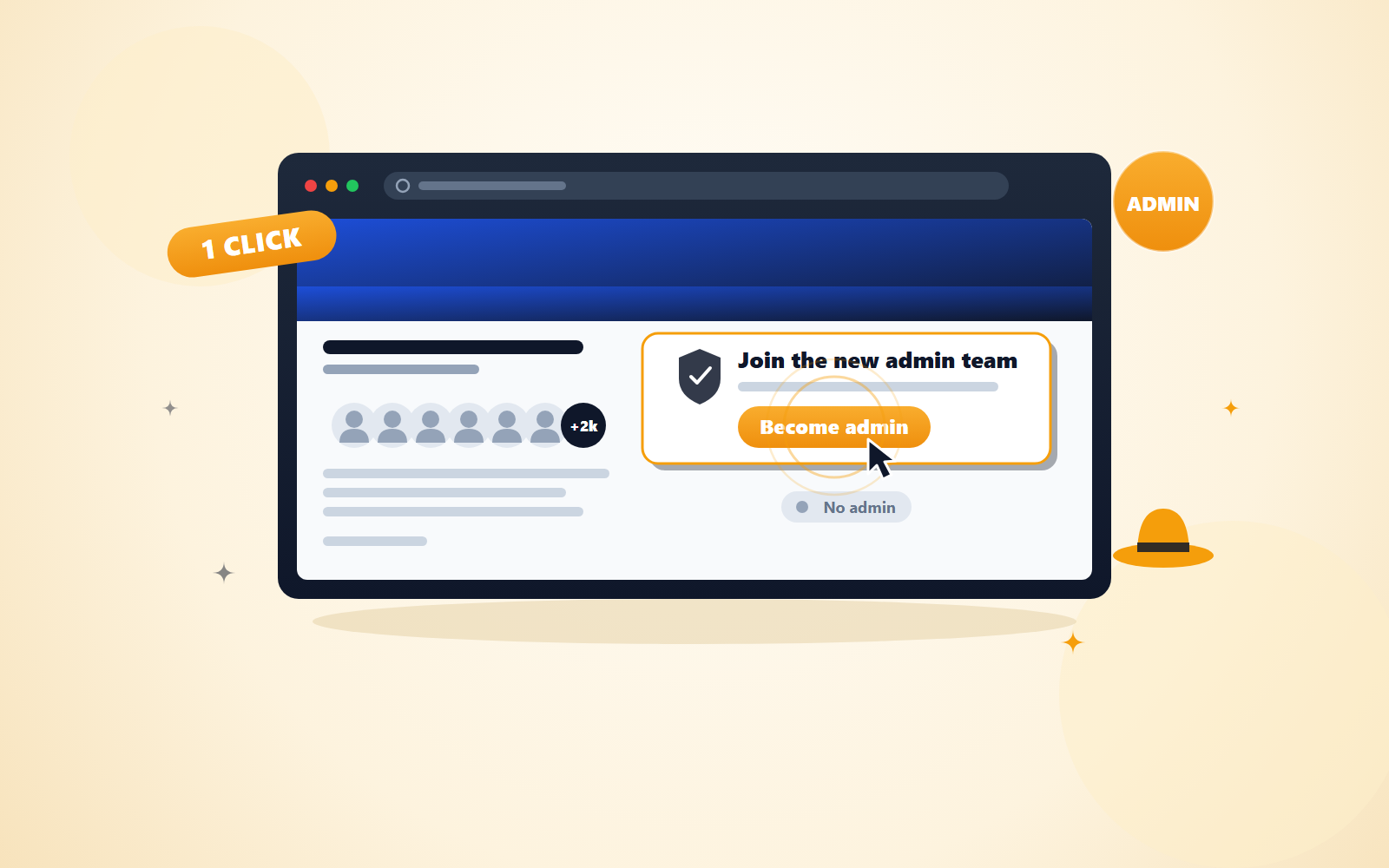
Every creator knows the slow part of Facebook. You start a group, invite your friends, post every day into near silence, and wait months for it to feel alive. Here is a shortcut most people never notice: some groups in your niche have already done that work and then lost every admin. Facebook needs someone to run them, and it will offer the role to a member.
This post walks through how that works, how to find those groups by hand, what to expect, and how Influencer Butler can run the search for you.
Why an established group with no admin is worth having
A group that has been around for a while comes with things you cannot buy:
- Existing members. Hundreds or thousands of people who already opted in to the topic.
- Existing engagement. People are posting, commenting, and asking questions, even without anyone at the wheel.
- A ready audience for your storefront and deal posts. When you share a deal or a storefront link, real people see it on day one.
- No cold start. You skip the months of posting to an empty room.
For an Amazon influencer or deal poster, a living niche group is one of the best places to put your links. Getting one that already exists is far easier than building one from zero.
What happens on Facebook's side
When every admin leaves a group, whether they quit, deleted their account, or got removed, the group keeps running but nobody is in charge. Facebook does not shut it down. Instead, it shows some members a banner in the group header that says "Join the new admin team" with a "Become admin" button.
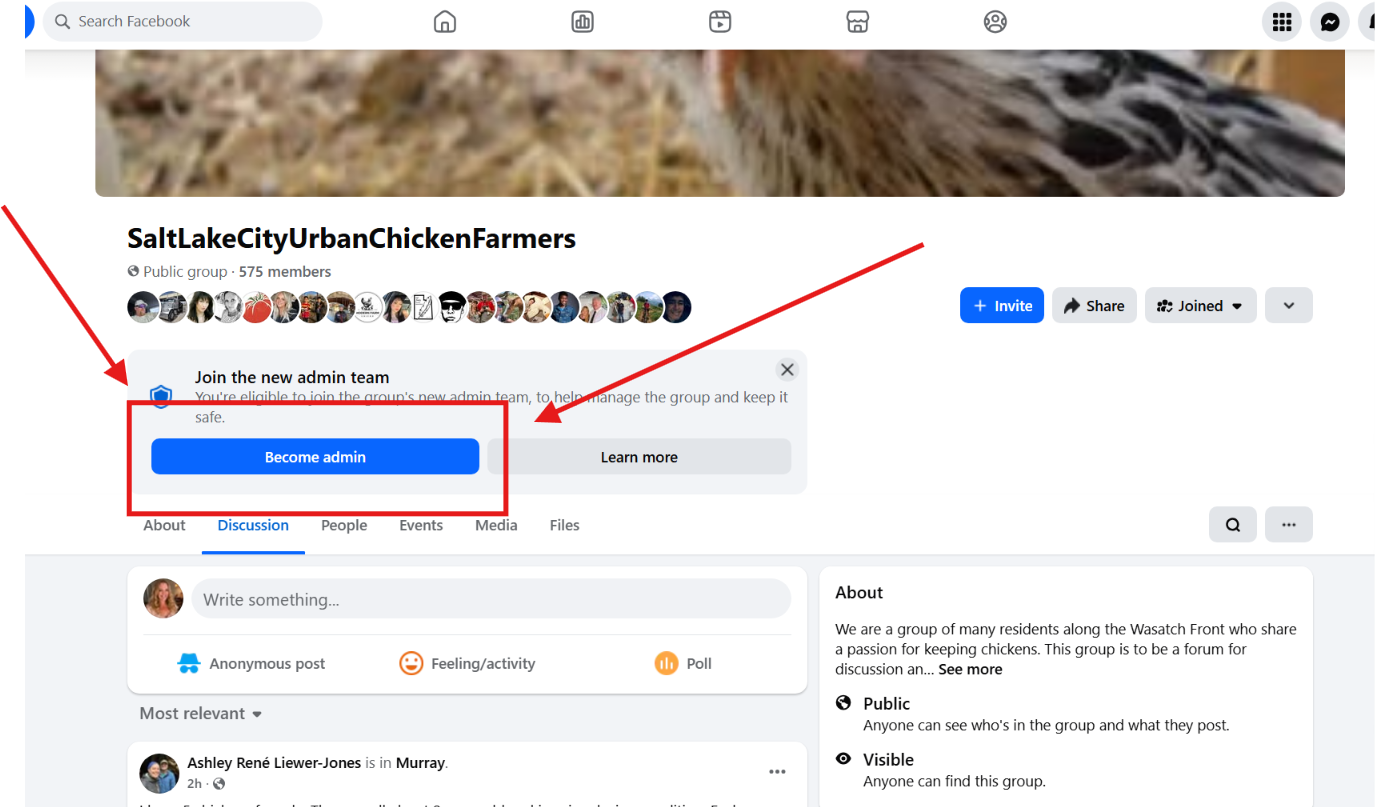
A few things to know about that button:
- It is one click. There is no confirmation dialog. Click it and the request is in.
- Facebook decides who sees it. Facebook picks which members are eligible and does not publish the rule. You cannot ask for the banner, and you cannot make it appear.
- You have to be a member. The offer only goes to people already in the group.
- The role may take a day or two. After you click, Facebook can take a while to finalize the admin role. That waiting period is normal.
- Only a personal profile can become a group admin. If you try from a Page or a business account, Facebook rejects it.
How to spot an adminless group by hand
You do not have to guess. Facebook shows you whether a group has an admin, just not in a very obvious way.
- Open the group.
- Open the Members tab. On some accounts it is labelled People instead.
- Look for a section called Admins & moderators. A normal group shows that section with a count of admins and moderators.
- If there is no such section at all, the group has no admin. That is the group you want.
One trap to know about: sometimes the "Become admin" banner shows on a group that already has an admin. The banner is stale. If the Admins & moderators section is there with one or more people, clicking the button fails with "Add Admin Failed". Check the Members tab before you click, and treat the banner as a suggestion, not a promise.
The manual routine
Here is the loop if you want to do this yourself:
- Search Facebook groups by keywords in your niche. Think of the terms your audience would type: "air fryer recipes", "toddler mom hacks", "backyard chickens", and so on.
- Join the public groups in the results. Joining a public group is instant.
- Open the Members tab in each group you joined and look for the Admins & moderators section.
- Click "Become admin" only where the Admins & moderators section is missing and the banner is showing.
Be ready for the honest part: most keyword results already have an admin. You will open a lot of groups and find that almost all of them have someone in charge. This is a numbers game. The more groups you check, the more adminless ones you find, but the ratio stays low.
Private groups are mostly a dead end for this. A join request to a private group needs an admin or moderator to approve it. If the group has no admin, there is nobody to let you in, so you never become a member and never see the offer. There are exceptions, but do not build your plan around them.
Realistic expectations and staying safe
Two rules keep this strategy honest.
First, it only works when Facebook offers it. Nobody can force adminship of a group. No tool, no trick, no support ticket. If the banner is not there, the answer is no, and the right move is to keep searching.
Second, do not rush the joining. Joining a large number of groups quickly can trigger Facebook limits on your account. Spread your sweeps over days rather than hours, and use a few keywords at a time instead of trying to cover your whole niche in one sitting. A slow, steady search keeps your account in good standing, and your account is worth more than any single group.
Once you are admin, act like one. Set group rules. Moderate spam and answer questions. Post content that is useful to the members who were already there. Only after the group knows you as the person running it should you introduce affiliate links. Members who feel taken care of will click. Members who feel taken over will leave, and a group that empties out was not worth claiming.
If your butler ever stops loading Facebook pages during this work, our guide to Facebook's notifications popup covers the usual cause.
Add your new group to your Amazon Associates site list
Before you post a single Amazon link in your new group, add the group's URL to your Amazon Associates account. Amazon asks you to list every website and social profile where you share affiliate links, and a Facebook group counts. Open your Amazon Associates site list, add the group's link, and save. It takes a minute, and keeping the list current is one of the simplest ways to stay in good standing with the program.
How Influencer Butler automates the routine
Facebook Admin Butler, under the Facebook Butler hub in Influencer Butler, runs the exact loop above so you do not have to click through groups by hand.
You add keywords for your niche, choose public and/or private groups, and set a member-count range. From there it searches for groups, joins the ones you are not in yet, checks each group's Members tab for an existing admin, and accepts the admin invite where Facebook offers it.
A few details that matter in practice:
- It re-checks pending groups on every run. Groups where you clicked "Become admin" but Facebook has not finalized the role yet get checked again next time, so you do not have to remember them.
- It keeps daily join and accept caps to protect your account. You set the numbers, and lower is safer.
- It can email you a daily summary so you know what happened without opening the app.
- It has a "Watch it run" toggle. Turn it on and the browser comes to the front so you can see exactly what it is doing.
- The progress card separates the groups the Butler claimed from the groups you already managed before it ran, so you can see what the Butler actually earned you.
One thing to say plainly: Facebook Admin Butler can only accept invites Facebook shows. It cannot make Facebook offer one. It saves you the hours of searching, joining, and checking, and it catches the offers you would have missed, but the offer itself is always Facebook's call.
The Facebook Admin Butler tutorial walks through every setting screen by screen. If you want to try it on your own niche, start your free 14-day trial of Influencer Butler. No credit card is needed.
FAQ
Can it take over any group I search for?
No. It can only become admin of groups that have no admin and where Facebook shows the "Become admin" offer to your profile. Everything else is skipped.
Why does it skip most groups?
Because most groups already have an admin. That is the normal state of a Facebook group, and there is nothing to claim in those. Skipping them is the Butler doing its job.
Why is my group still pending?
Two common reasons. Facebook finalizes the admin role over a day or two after you accept, so a group can sit in the pending state for a while. And a join request to a private group waits for an admin or moderator to approve it, which may never happen if the group has none. The Butler re-checks pending groups on every run, so leave them alone and let the next run sort them out.
Will this get my account flagged?
Joining and acting too fast is what triggers Facebook limits, which is exactly why the daily join and accept caps exist. Keep the caps modest, spread sweeps across days, and add keywords a few at a time. Go slow and let the Butler pace the work.
Share this post
Tools and guides for this topic
Put this into practice with the tools and walkthroughs that match what you just read.
Let a butler handle the busywork.
Influencer Butler automates the repetitive parts of running your creator business, from accepting Creator Connections campaigns to catching price drops and keeping your outreach moving. Try it free for 14 days.
Start your free trial