Deals Butler
Finds hot deals that match your filters and lines them up for posting.
Needs your OpenAI key AI caption features (caption voice and shorten titles) need your own OpenAI API key. You pay OpenAI directly for what you use (usually pennies), not Influencer Butler, and a ChatGPT subscription does not work. Set up your OpenAI key.
Refresh deal pages all day, then rush to post.
Deals land in a queue. You post when you’re ready.
How it saves you time, money, and headaches
- The constant refresh habit, gone.
- No more missed deal windows.
- No more scramble-posting at bad times.
What’s in the box
- Deal discovery by category, price drop, or keyword
- Post state machine - drafts can’t accidentally publish
- Daily-bucket aggregation so you don’t pile 30 deals on one day
- Per-keyword tracking-day window (and exclude-last-month option)
- Post builder with AI-templated captions in your tone
- Promo code manager - codes get injected into the post automatically
- Multi-platform auto-posting: Instagram, Instagram Threads, Facebook groups + pages, Telegram, Reddit, and Benable
- Automatic link shortening (Influencer Butler branded links with click tracking, or GeniusLink, URLGenius, Linktw.in)
- Marketplace links for shoppers in other countries: post one link, a tagged link per country the product sells in, or a single smart link that routes each shopper to their own Amazon store (set your per-country tags in API Integrations)
- Preview before anything goes live
- Pairs with Data Refresh Butler so every deal hunt runs on fresh commission rates
Watch the 5-minute walkthrough
Find Deals And Post Them Everywhere: Deals Butler. Recorded inside the app and narrated start to finish.
Read the video transcript
The daily grind. Find a good discount. Write a caption. Post it to a group, a channel, a page. Then do it all again tomorrow. Amazon Deals does the whole loop: it searches, it writes, and it queues.
Included in the Beginner plan. Quick note on plans. Amazon Deals is included in the Beginner plan, so everyone has it.
Store and hub. Amazon Deals is a store. Walmart Deals is its twin. Both post through the Deals Butler hub, which holds the destinations and the schedule. This panel decides what gets found and what the post says.
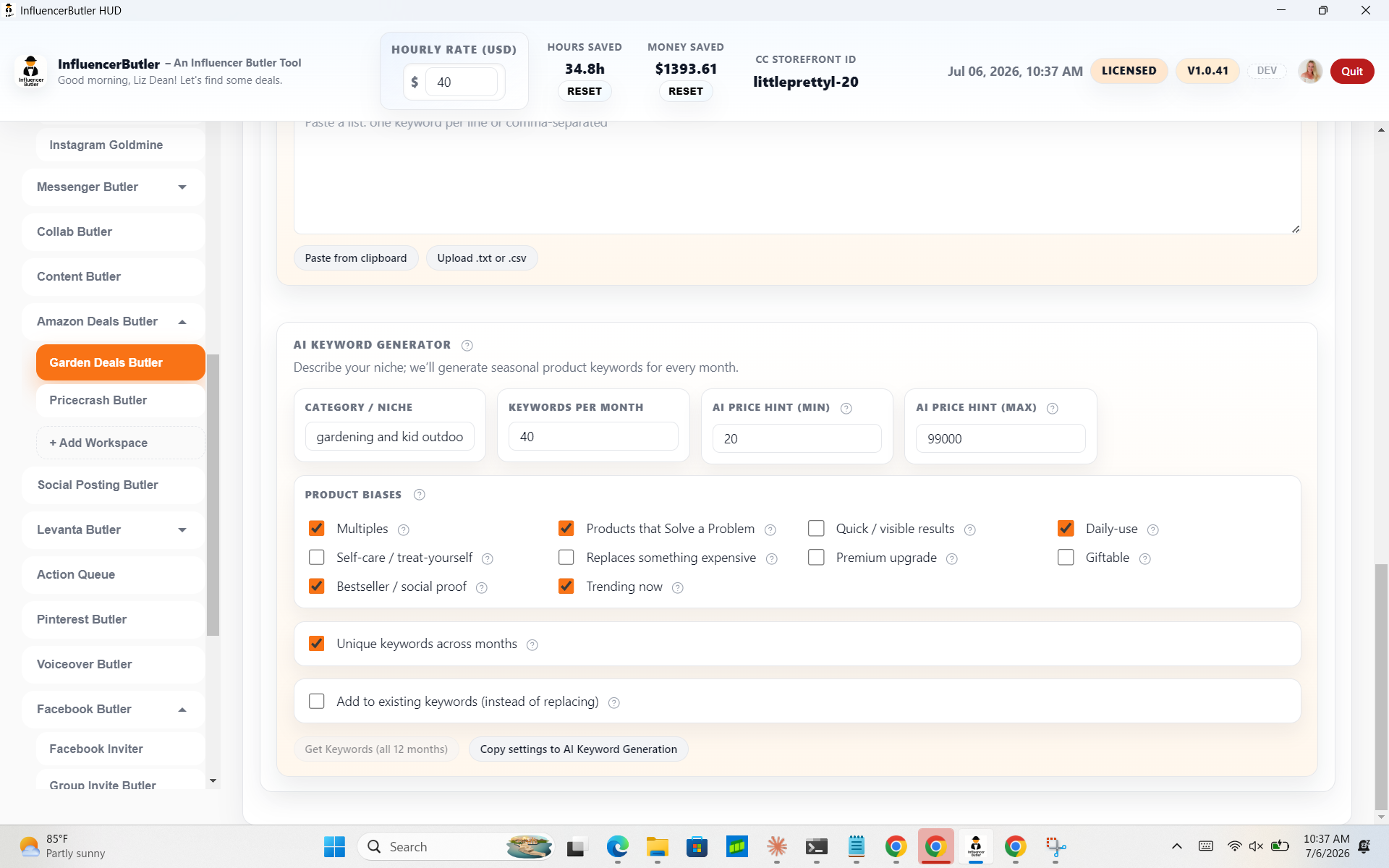
Keywords. Start with Keywords. Monthly keyword batches hold the phrases each month's search rotates through, one per line. Suggest keywords by niche fills them with AI, and per-day keywords override a single date.
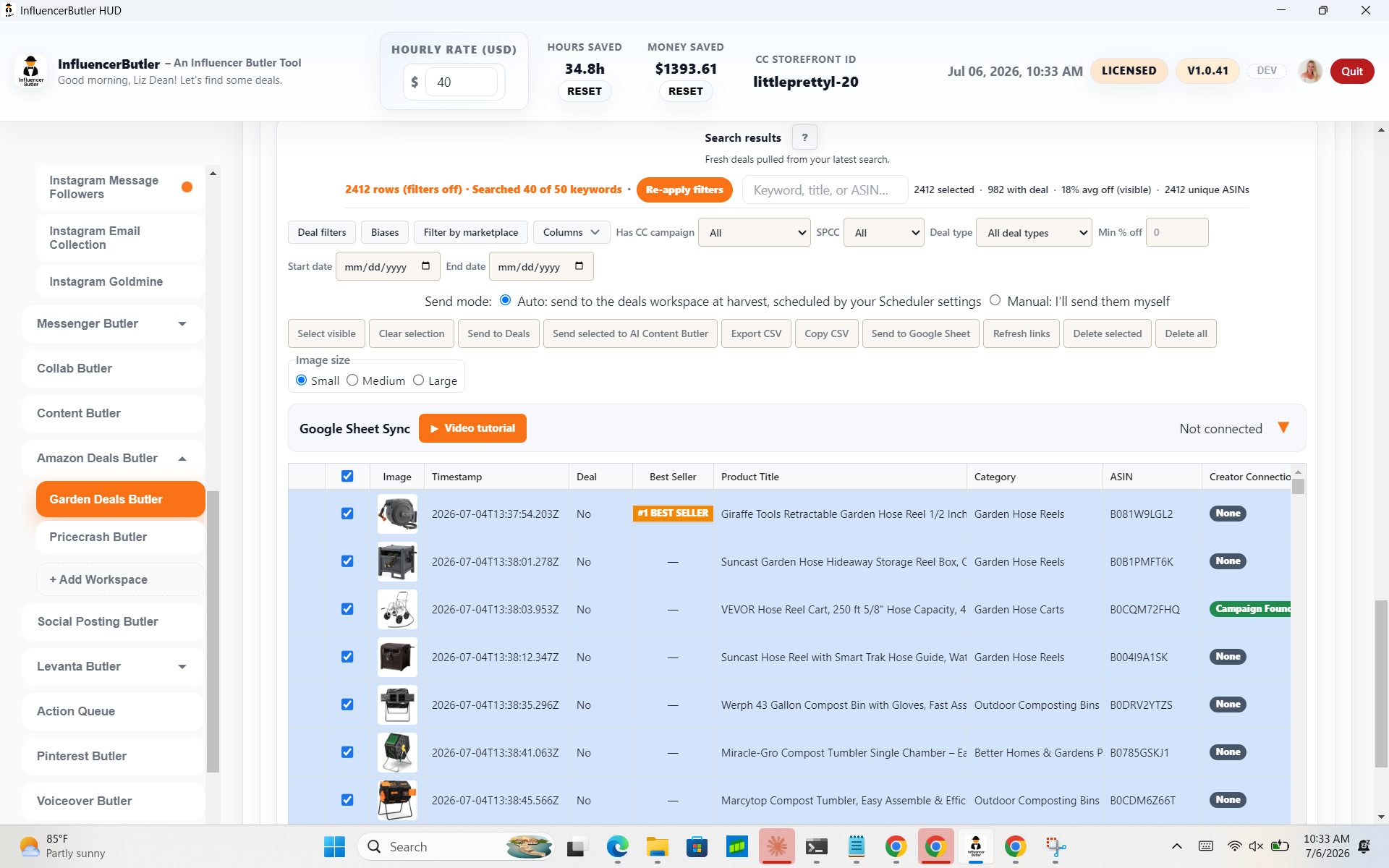
Search Deals. Search Deals is the engine. It asks Amazon what is discounted right now on your keywords and fills the table below. Post per round decides how many Amazon then Walmart deals post when the stores take turns.
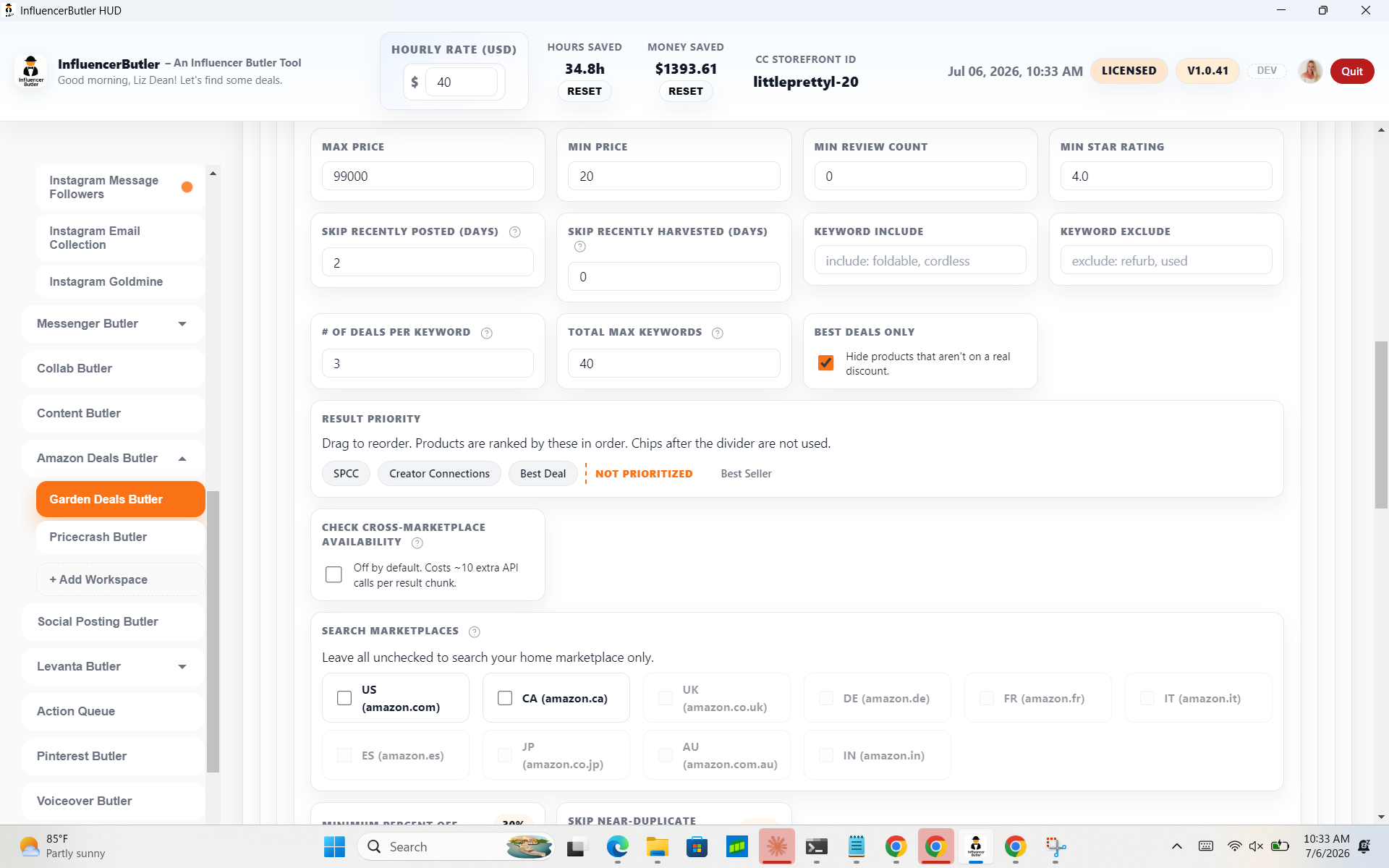
The filter recipe. The filter recipe sets the hard limits: minimum percent off, price range, reviews, stars. Thirty percent off and a few hundred reviews is a sensible start.
Promotion pages and auto-search. Two extras: pull deals from Amazon promotion pages, and Auto-search, which re-runs the search on a clock, every few hours or at a time of day.
Run the search. Search Deals runs it. It uses the Creators API, and promotion pages open a signed-in Amazon window. The status badge says Ready when nothing is running. Not pressed today.
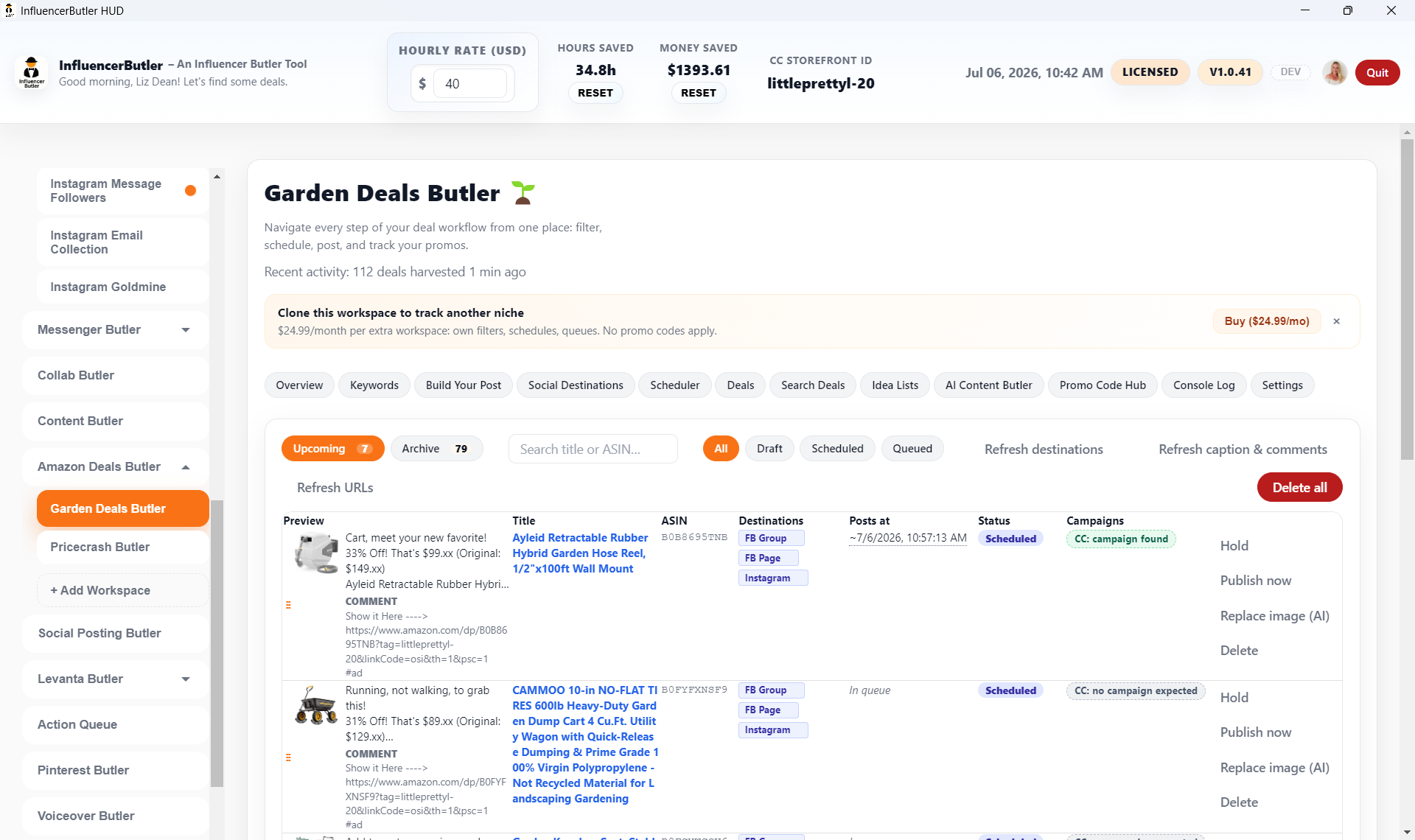
What you get. The results: every deal with its discount, price, reviews, whether it has a Creator Connections campaign or an SPCC offer, and a send button. Select the good ones and send them to your posts.
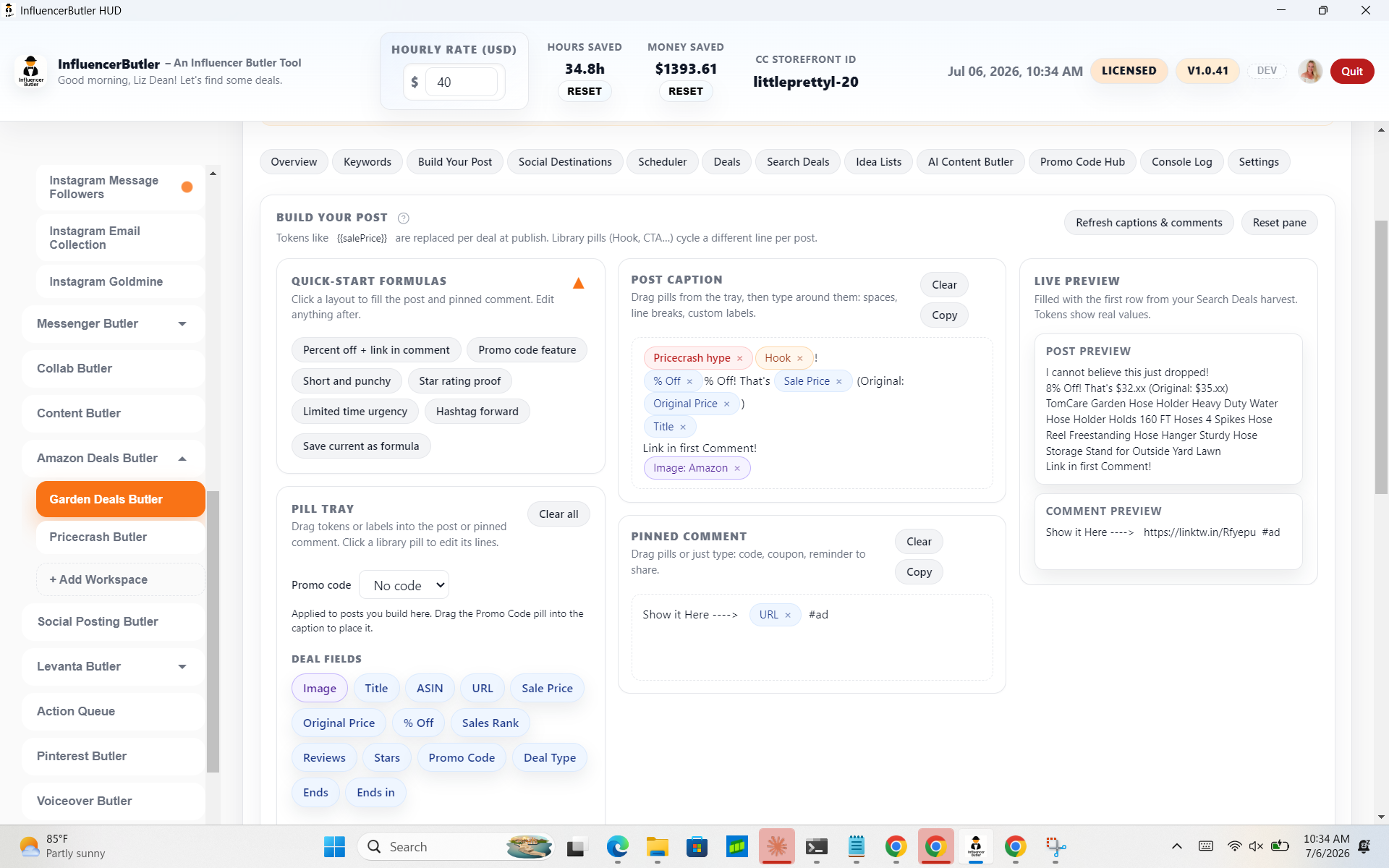
Build Your Post. Build Your Post is where you write the caption once. Pick a style and it fills the caption and first comment. The chips are placeholders: title, price, percent off, your link. Each deal fills them in when it posts.
Variants. Caption variants rotate the wording so your feed does not repeat itself, and full-price posts get their own copy.
The Deals queue. The Deals tab is the record: what is queued, what went out, and where each one landed.
Always-Post and Add a Deal. Always-Post pins products that always carry a discount, so they post on their own schedule. Add a Deal hand-enters one a seller sent you, promo code and all.
Promo codes and roundups. Promo Code Hub keeps the codes you attach to posts, and can scan your Creator Connections campaigns for them. Roundup Campaigns makes one Facebook post with the deals underneath as comments.
Idea Lists. Idea Lists builds Amazon idea lists from your deals, Creator Connections products first, with AI-written descriptions, on the storefronts you pick.
Settings. Settings holds this store's defaults: posting order, links, images, and Facebook pacing. Copy setup from another workspace brings a tuned store across.
Next step. Your next step: five keywords for this month, a thirty percent floor, one caption style. Press Search Deals, send three deals to your posts, and let the hub schedule them.