Leaving a Paid Link-in-Bio Tool? Move to Foyer Butler in an Afternoon
How to rebuild a link-in-bio page in Foyer Butler without a gap: what maps to what, the order to do it in, when to repoint your bios, and what to check before you cancel the old plan.
By The Influencer Butler Team · October 21, 2026 · 7 min read
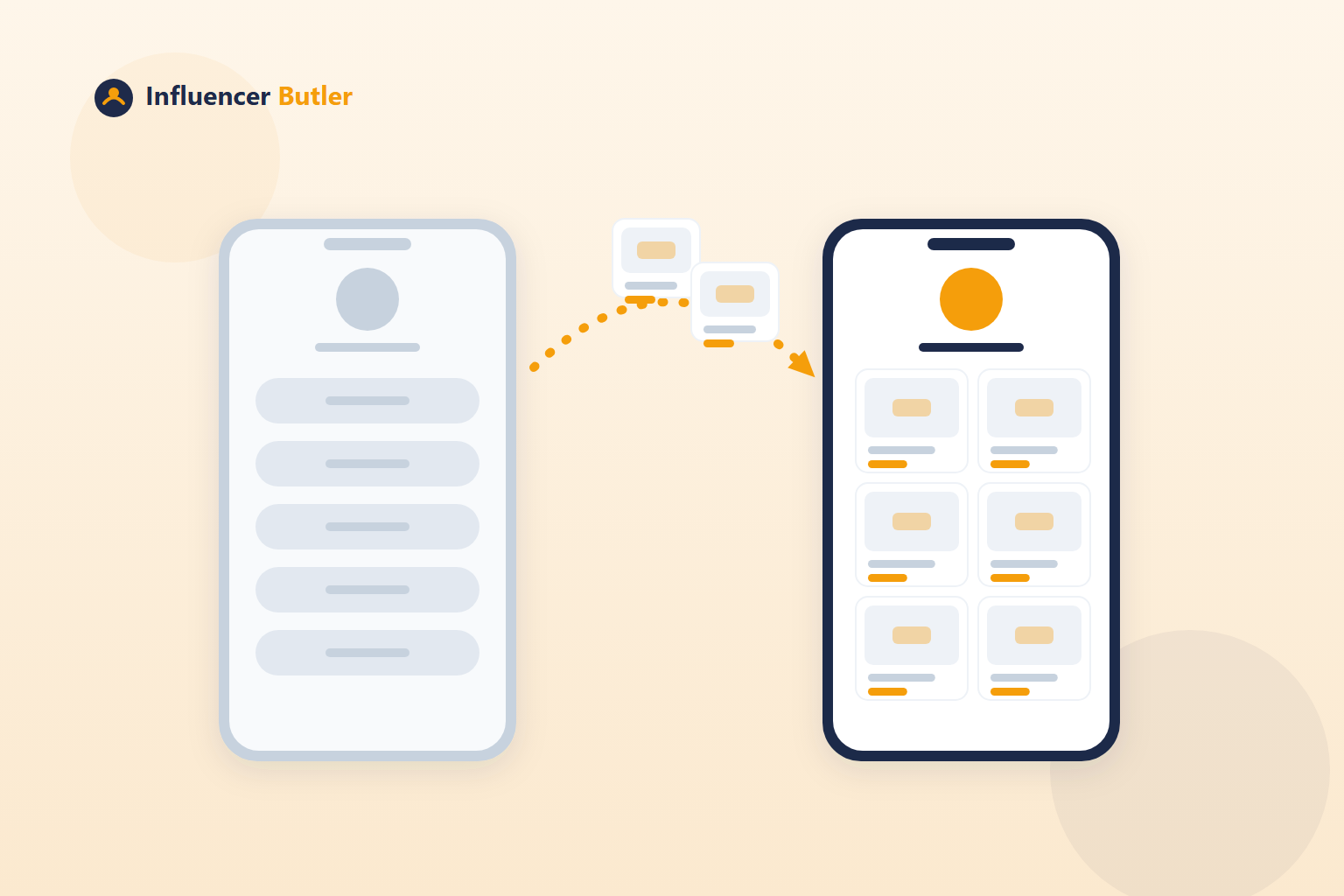
A lot of creators pay a monthly fee for a link-in-bio page that does three things: list some links, collect an email now and then, and show click counts. That was a fair deal when it was the only option. It is a worse deal once the tool you already use for your storefront can build the same page, from your own tracked products, with your live deals on it, for free.
This is a practical guide to moving. It assumes you have an existing page somewhere, you want to end up on Foyer Butler, and you do not want a single day where your bio link goes nowhere. Influencer Butler never asks for the login to your old tool. Every step happens either in Foyer Butler or on the old tool's own site, where only you can sign in.
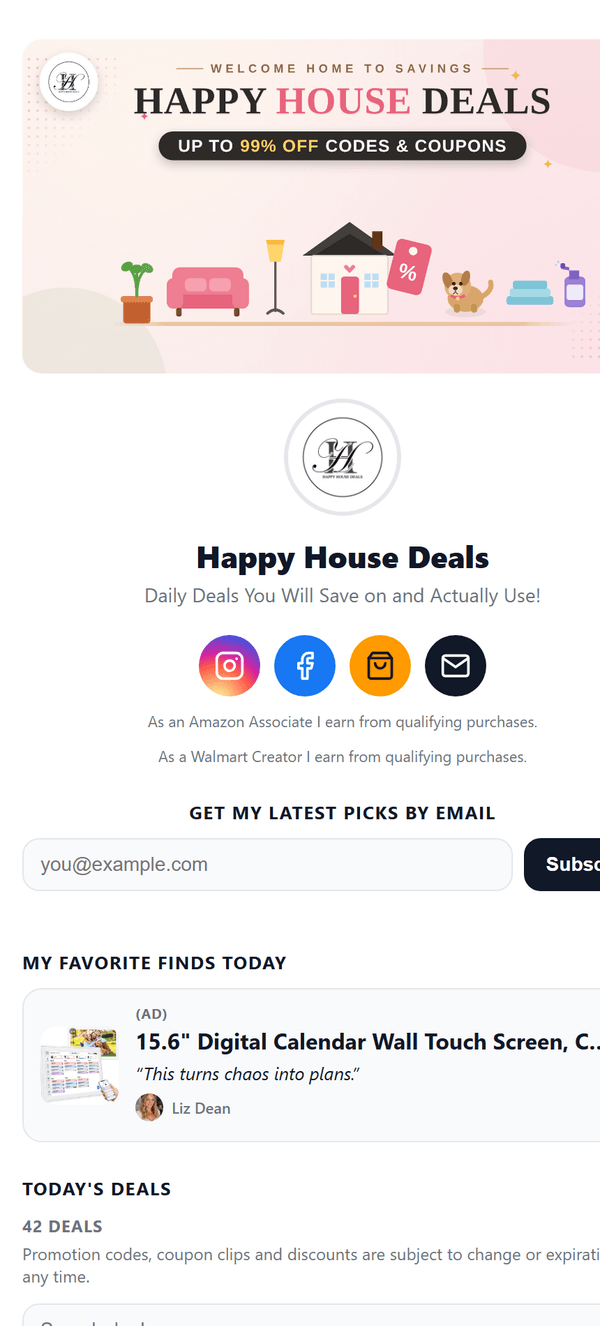
If you want to see what you are moving to before you start, Happy House Deals is a live Foyer page: hero banner, bio, social icons, email sign-up, a pinned favorite and a self-updating deals section, all on one link.
What maps to what
Most link-in-bio tools have the same handful of parts, and each one has a home in Foyer Butler:
- Your page becomes your Foyer page at
links.influencerbutler.com/@yourhandle, or on your own domain on a paid plan. - Link buttons become product tiles. Paste a product link into Add a product and it becomes a tracked tile. Non-product links (your other group, a podcast) go in the Intro and links block.
- Free lead magnets become a Digital Products tile priced at $0, unlocked by email with instant delivery and a resend link.
- Booking links become a Booking tile pointing at your existing Calendly, Cal.com or other scheduler, shown with its own calendar icon.
- Email capture becomes the Email capture form, with double opt-in and your subscribers exportable to CSV.
- Click analytics become the Analytics tab: views, taps, tap-through rate, funnel, top tiles, sources, devices and busiest times, with export.
- A pinned sale or announcement becomes the Announcement banner, with an optional button and an end date.
The honest gap: Foyer Butler's Digital Products card handles free downloads today, and checkout for priced products is coming. If you sell paid digital products, courses or memberships through your current tool, keep that part running there until priced checkout ships, and only cancel the plan that covers your page once you have moved everything you need. A priced product you set up now shows as "Coming soon" on your Foyer page instead of a broken buy button.
The order to do it in
- Open Foyer Butler under the Link Butler group. Set your title, handle, bio and avatar to match your old page so the switch is invisible to followers.
- Pick a theme or set your brand colors in the custom panel. Choose a page width that fits how many tiles you want per row.
- Re-add each link. Products go in as tiles. Add plain headings to group them. Your welcome line and non-product links go in the Intro and links block.
- Bring over the freebie. Upload the file to a Digital Products tile at $0 and add it to the page.
- Add the booking tile if you had one, and turn on Email capture if you were collecting emails.
- Recreate any banner you had pinned, or pick a banner pack for the next sale event.
- Turn on Today's Deals if you run a Deals Butler. This is the part your old page could not do: a live grid of your Amazon, Walmart and TikTok Shop deals that refreshes itself.
- Look at the preview pane, then click Publish.
Everything saves as you type and there is no Save button, so you can rebuild across more than one sitting. Your old page keeps working the whole time.
Repoint your bios
Once your Foyer page is live, update the link in your Instagram, TikTok, YouTube and anywhere else to links.influencerbutler.com/@yourhandle, or your custom domain if you set one up. Followers land on the new page from that moment, and anyone who still has the old link cached lands on the old page, which still works until you cancel. No gap.
Two Amazon-specific things to do the same day:
- Add the new page address to your Amazon Associates site list. Amazon requires every site you run affiliate links on to be declared there, and Foyer Butler reminds you the first time the page goes live at a new address.
- Turn on the Amazon affiliate disclosure switch (and the Walmart one if you include Walmart tiles). It adds the required wording.
Your own domain, if you had one
If your old page lived on your own domain, you can bring the domain along on a paid plan. The Your own domain card on the Settings tab of Foyer Butler is the whole setup: type your address, add the two DNS records it shows you, and watch it go Live. The connect your domain guide has click-by-click steps for GoDaddy, Namecheap, Cloudflare and others. Until the records confirm, the page stays live at the links.influencerbutler.com address, so you can move the domain last.
Before you cancel the old plan
Run through this once:
- Every link on the old page has a tile or a line on the new one.
- The freebie downloads correctly from the new page. Test it with your own email.
- Your subscriber export from the old tool is saved somewhere. Foyer Butler grows its own list from the new form, and if you want to email the people from your old list, the Send to someone else option under Email, Compose sends to a pasted or uploaded list of up to 100 at a time, with a permission tick and a short note on where the list came from.
- Your bios all point at the new address.
- If you sold paid products through the old tool, you have decided where those live until priced checkout ships.
Then cancel the old plan yourself, on the old tool's own site, under its billing settings. You typically keep access until the end of the billing cycle, which is time to double-check that nothing was missed.
What you gain
The page and the subscriber list are free to keep on any plan, now and later. Sending newsletters needs Pro after your trial, and the newsletter builds itself from your live deals, which is the part a generic page can never do. The analytics come from the same tracked links as the rest of your Butler Links, so your bio page stops being a separate island of numbers. And the monthly fee you were paying for buttons goes back in your pocket. Plans are on the pricing page.
One afternoon, no gap, and a bio link that finally sells something.
Share this post
Tools and guides for this topic
Put this into practice with the tools and walkthroughs that match what you just read.
Let a butler handle the busywork.
Influencer Butler automates the repetitive parts of running your creator business, from accepting Creator Connections campaigns to catching price drops and keeping your outreach moving. Try it free for 14 days.
Start your free trial