How to Auto-Post Deals Butler to Facebook, Telegram, and Reddit (Beginner's Guide)
A plain-English, step-by-step guide to auto-posting Amazon deals to your Facebook groups and pages, Telegram channels, and Reddit, so fresh deals go out around the clock without you lifting a finger.
By The Influencer Butler Team · July 11, 2026 · 11 min read
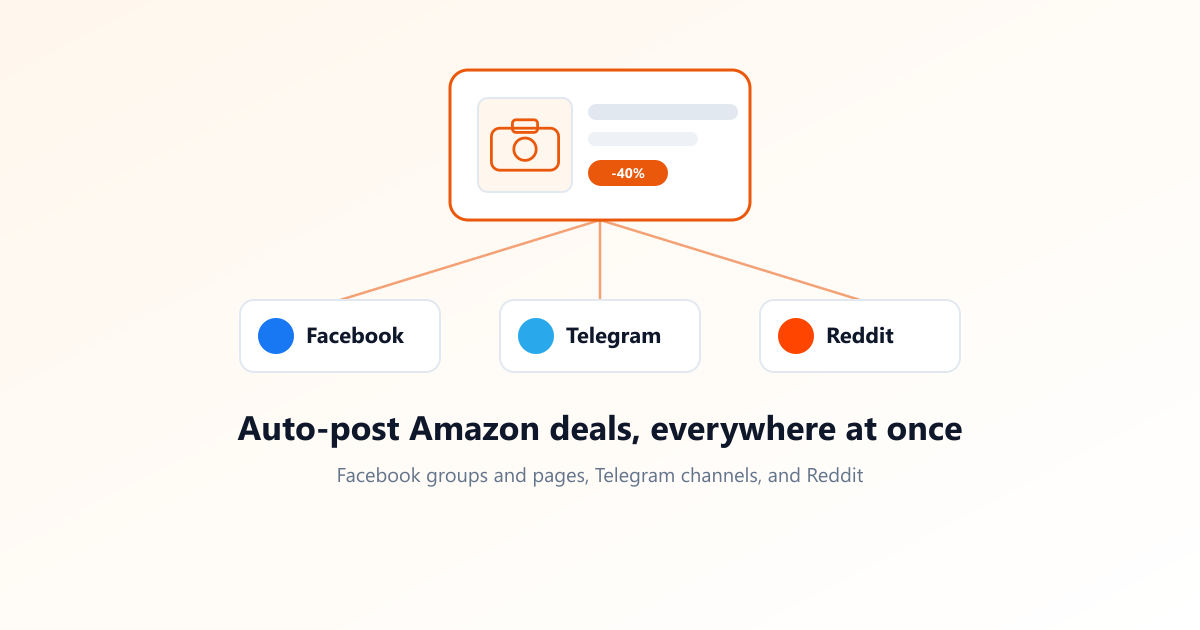
If you share Amazon deals with your followers, you already know the grind: find a good deal, grab the link, write a caption, then paste it into your Facebook group, your page, your Telegram channel, and maybe a subreddit. Do that ten times a day and you have a part-time job you never applied for.
This guide shows you how to hand that whole job to Influencer Butler. You set it up once, and the Deals Butler workspace finds fresh deals, wraps each one in your caption, and posts it out to every place you sell, on a schedule you choose. Facebook groups and pages, Telegram channels, and Reddit, all from one screen.
No coding, no tech background needed. If you can follow a recipe, you can do this. Let me walk you through it, one step at a time.
What auto-posting actually does (in normal words)
Think of the Deals Butler workspace as a little assistant that never sleeps. It does three things in a loop:
- Finds deals: it pulls active Amazon deals that match your rules (how big a discount, which price range, which categories).
- Builds the post: it drops each deal into your caption template, with the product photo, the discount, and your affiliate link already filled in.
- Posts on a schedule: it sends those posts to your connected destinations (Facebook groups and pages, Telegram, Reddit, and more) at whatever pace you set.
You set it up once and it ticks along on its own. Most people only come back to tweak their filters or add a new place to post.
What you need before you start
A few quick things to have ready. None of them take long:
- Your Amazon affiliate tag, set under Settings -> Amazon. This is how you get paid, so it has to be in there.
- Your CC Storefront ID entered in the topbar, so commission numbers show up correctly.
- The Influencer Butler desktop app open on your computer (or on a cloud PC if you want it running 24/7).
- Data Refresh Butler active. Deals Butler reads from the deal and commission data this butler keeps fresh. It is usually on by default.
That is it. Let's build it.
Step 1: Open Deals Butler and run your first search
Open the Deals Butler workspace. Across the top you will see a row of tabs (Deal Filters, Build Your Post, Social Destinations, Scheduler, and a few more). You are going to work through them left to right.
Start on the Deal Filters tab. Leave the defaults for now: discount of at least 30%, all categories, all commission rates. Click Search Deals. Give it a moment, and you should see a list of real Amazon deals appear.
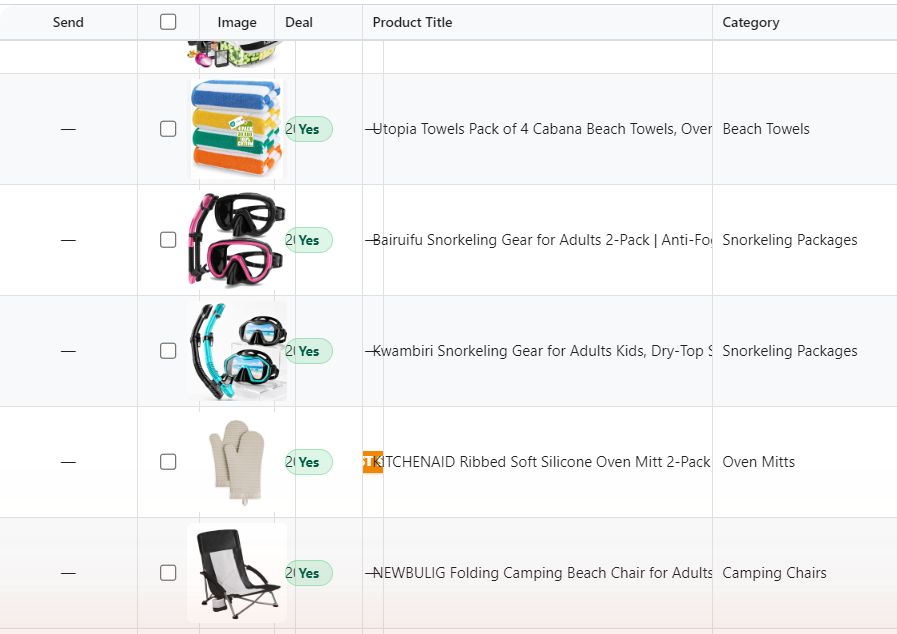
Seeing results means everything is wired up correctly. Do not tighten your filters yet. It is easier to start broad, confirm it works, then narrow things down later once you know what your followers like.
Step 2: Build your post
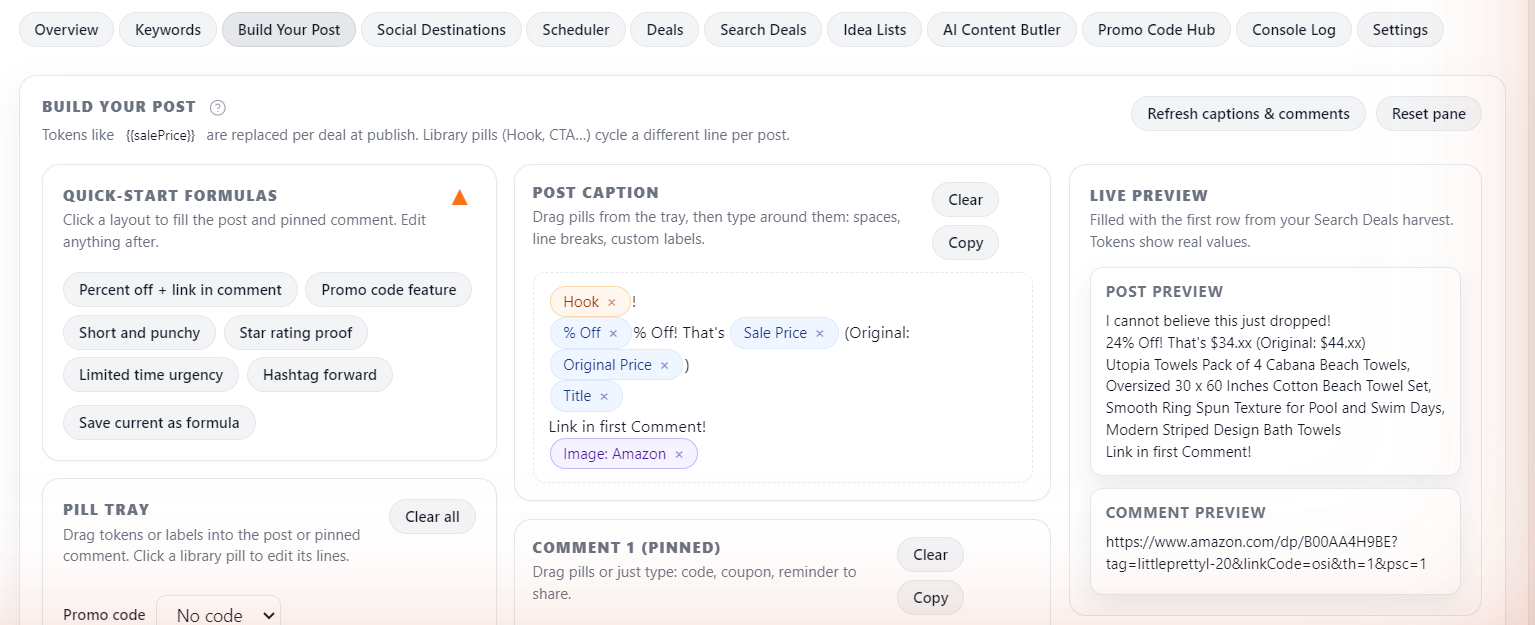
Click over to the Build Your Post tab. This is where you decide what each post says. You do not have to write anything fancy from scratch.
At the top is a Quick-start formulas row. Click one and it fills in a complete caption and first comment for you (for example, a percent-off caption with the link in the first comment). Pick the one you like, then edit the wording however you want.
Your caption is built from little building blocks called pills, like {title} for the product name, {price} for the price, {discount} for the percent off, and {deeplink} for your affiliate link. The {image} chip at the bottom sets the photo: keep the Amazon product photo, upload your own, or generate one with AI.
When it looks good, hit Preview to see how a real deal will render.
Step 3: Connect your Facebook groups and pages
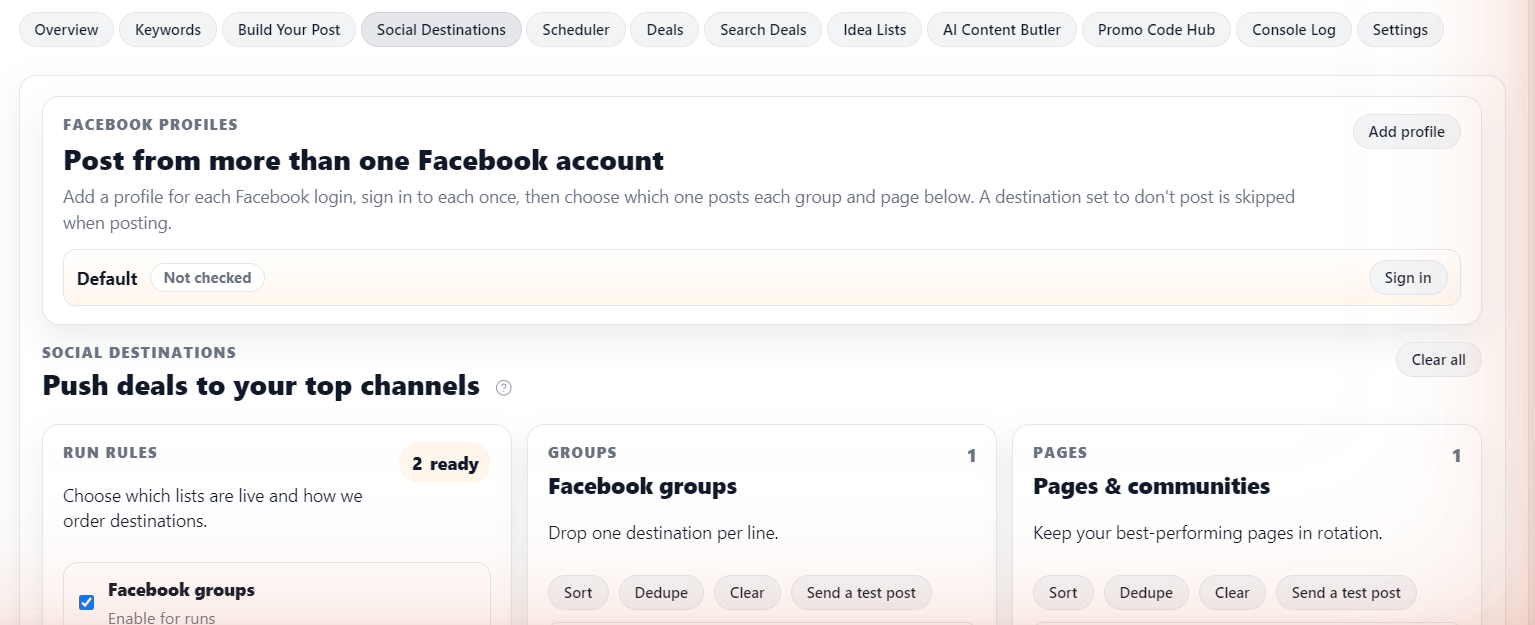
Now the fun part: telling Butler where to post. Go to the Social Destinations tab.
Near the top is a Facebook profiles card. This is how Butler signs in to Facebook as you:
- Click Add profile and give it a name, like "Main" or "Deals account".
- Click Sign in on that profile. A normal Chrome window opens on its own private session. Sign in to that Facebook account, then close the window. The label changes to Signed in.
- Below, your Facebook groups and pages each show a dropdown. Pick which account posts each one. Choose Don't post this to skip any destination you do not want.
Good news about pages: for a Facebook Page, Butler posts as the Page for you automatically. As long as the account you signed in manages that Page, Butler switches to the Page, publishes, adds your first comment, then switches back. You do not have to do anything special.
If all your groups and pages live under one Facebook login, you only need a single profile. Add more profiles only when your groups and pages are split across different accounts.
Step 4: Connect a Telegram channel
Telegram is the easiest place to auto-post deals, and it handles a lot of posts without complaint. The setup takes about five minutes and you only do it once. Butler talks to Telegram through a small "bot" that you create.
Create the bot. In Telegram, search for @BotFather (the official one has a blue verified check) and open a chat. Send the command /newbot. It asks for a display name, then a username that has to end in bot, for example gardenlovers_deals_bot.
Copy the token. When the username is accepted, BotFather sends you an access token that looks like 123456789:ABCdef.... Copy it and keep it private. In Influencer Butler, open API Integrations and paste it into the Telegram Bot Token field on the Telegram Bot card.
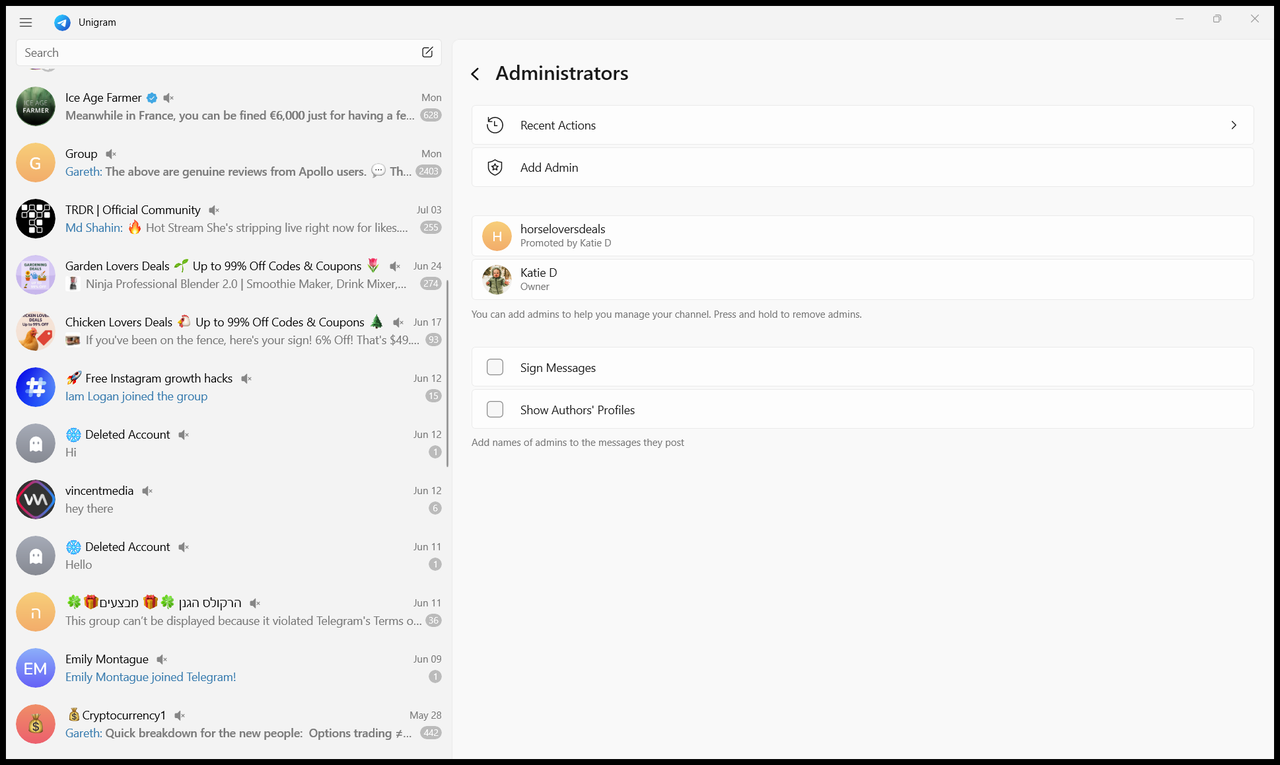
Add the bot to your channel. Open the Telegram channel you want to post deals into (or make a new one). Open the channel's Administrators list, choose Add Admin, search for your bot by its username, and add it with at least the Post Messages permission.
Get the Channel ID and test. You need one more value, the Channel / Chat ID:
- Public channel: use the public handle, like
@gardenloversdeals. This is the simplest. - Private channel: use the numeric ID that starts with
-100. To find it, forward any message from the channel to a helper bot such as @getidsbot, which replies with the number.
Paste the handle or ID into the Channel / Chat ID field, then click Test Connection. When it turns green and reads "Connected", you are done.
Step 5: Turn on Reddit
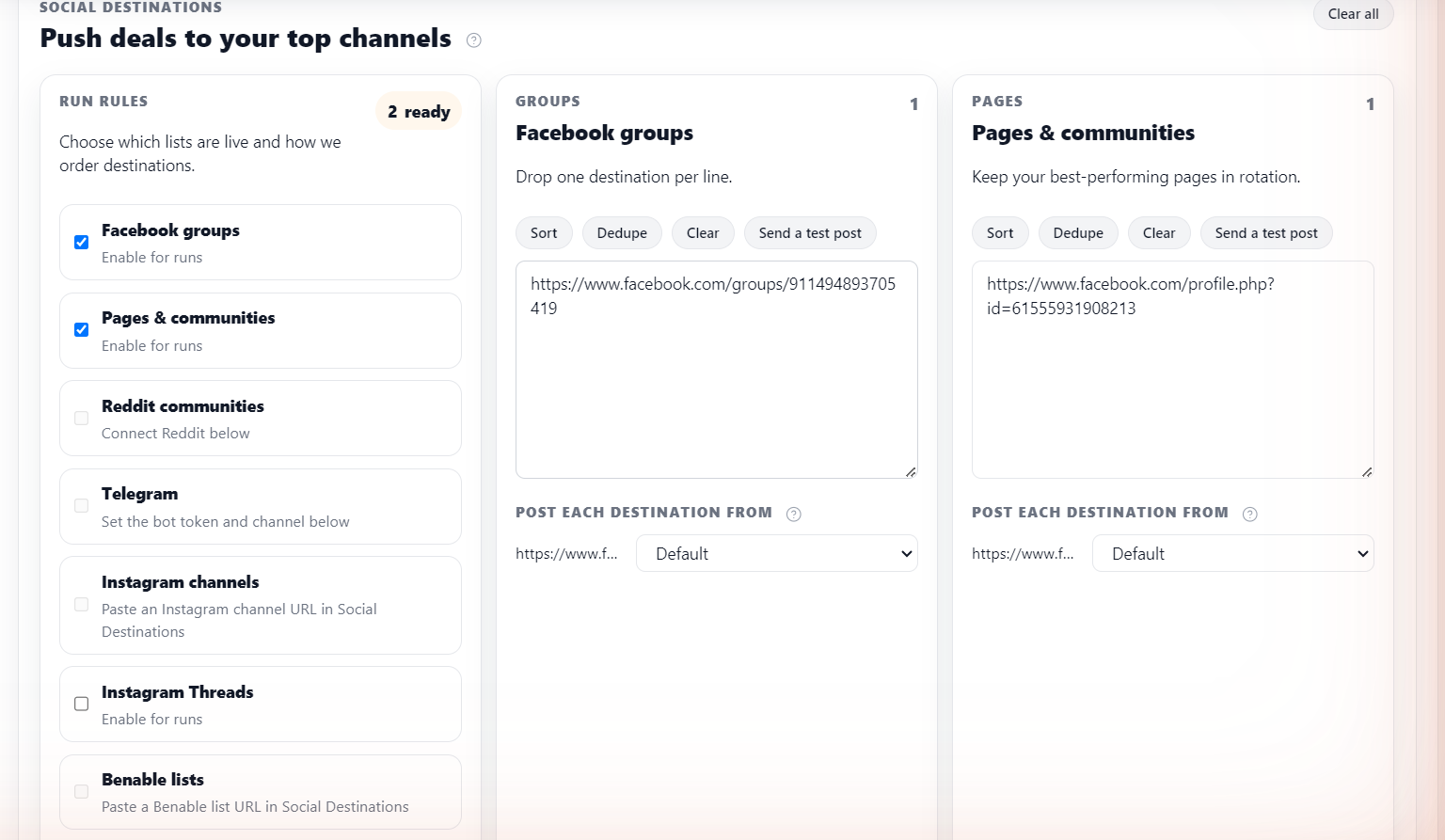
Reddit is the simplest of all. Back on the Social Destinations tab, find Reddit in the list and toggle it on. It is off by default, so if you want your deals going to Reddit, this switch is all it takes.
A quick word of caution: Reddit communities have their own rules about affiliate links and self-promotion. Post to subreddits where deal-sharing is welcome, and keep your cadence gentle so you stay on the good side of the moderators.
Step 6: Set your schedule
Now tell Butler how often to post. Go to the Scheduler tab and turn on the Post scheduler, then pick a cadence for each platform.
The defaults are deliberately gentle, which is exactly what you want when you are starting out:
- Facebook groups: every 1 hour
- Facebook pages: every 2 hours
- Telegram: every 15 minutes
- Reddit, Instagram, and Threads: off
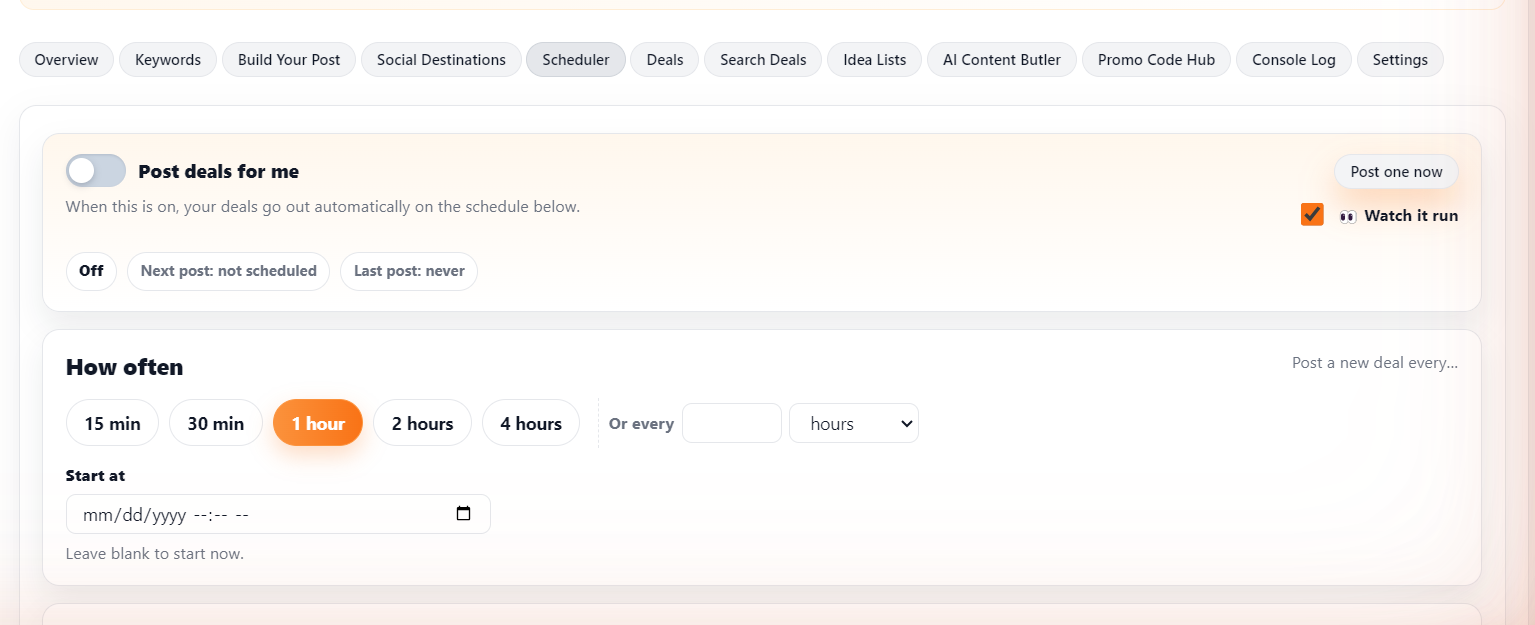
One tip: Telegram can take a fast pace, but Instagram and Reddit cannot. Do not copy Telegram's 15-minute cadence onto other platforms or you will get rate-limited. Start slow, then speed up only where your audience is happy to see more.
Step 7: Test it end to end
Before you walk away, watch it work once. Under Harvest, click Run now. That does one full search-and-post round so you can see the whole thing happen: it finds deals, builds the posts, and sends them to your destinations.
Want to fire a single post right now instead? Use Post one now on the Scheduler tab. It sends the next queued deal immediately.

Check your Facebook group, your Telegram channel, and Reddit. If your test posts landed, congratulations: you now have an automated deals machine.
Keep it running on autopilot
Two extra switches make this truly hands-off, both on the Promo Code Hub tab:
- Auto-refresh deals every 6 hours: turns on a background refresh so your deal list stays current on its own, without you clicking Refresh.
- Deals Hub Auto-Pilot: lets Butler add new deals for you on a schedule using rules you set (minimum percent off, Creator Connections opportunities, and more). You choose how often it runs and whether new deals are added as drafts you review or scheduled straight into the queue.
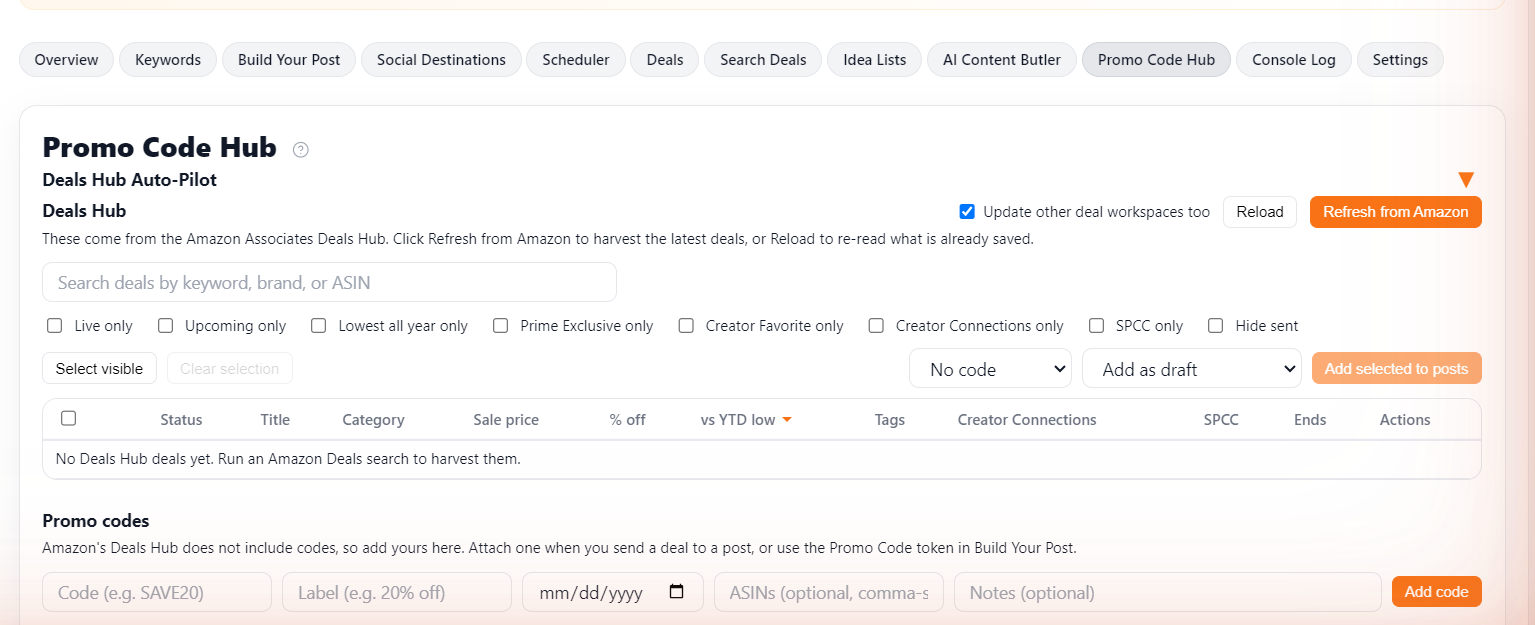
With those on, you can close the workspace and let it run. Come back whenever you like to tweak your filters or add another destination.
Common gotchas
A few things that trip people up, and the quick fix for each:
- Telegram test fails with "chat not found": the bot is not in the channel yet, or the handle or ID is wrong. Re-check the admin step and the Channel / Chat ID.
- Telegram test fails with "not enough rights": the bot is in the channel but is not an admin, or is missing the Post Messages permission. Re-open the channel admins list and grant it.
- The scheduler looks stopped: check the status banner on the Scheduler tab. The runner stops itself if it spots bad credentials and tells you the reason there.
- A Facebook group or page is not posting: make sure a signed-in profile is assigned to it in the dropdown. A destination with no profile assigned is skipped.
That's it
You have gone from copy-pasting deals by hand to a setup that finds them, writes them up, and posts them to Facebook, Telegram, and Reddit around the clock. The time you get back is the whole point.
Want the deeper reference on any step? The full Deals Butler tutorial covers every tab in detail, and the Telegram Bot setup guide walks through the bot connection screen by screen.
Share this post
Tools and guides for this topic
Put this into practice with the tools and walkthroughs that match what you just read.
Let a butler handle the busywork.
Influencer Butler automates the repetitive parts of running your creator business, from accepting Creator Connections campaigns to catching price drops and keeping your outreach moving. Try it free for 14 days.
Start your free trial